EarnBook

How does Adhaar Pay Works

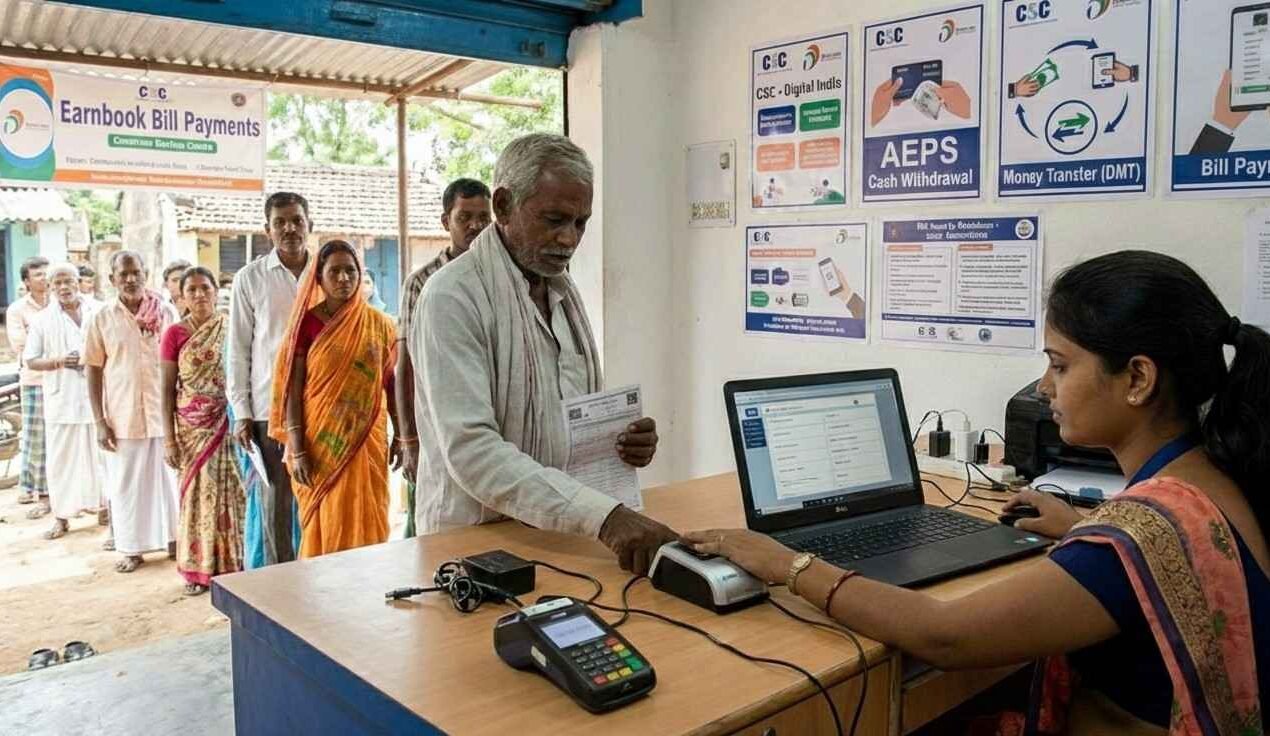
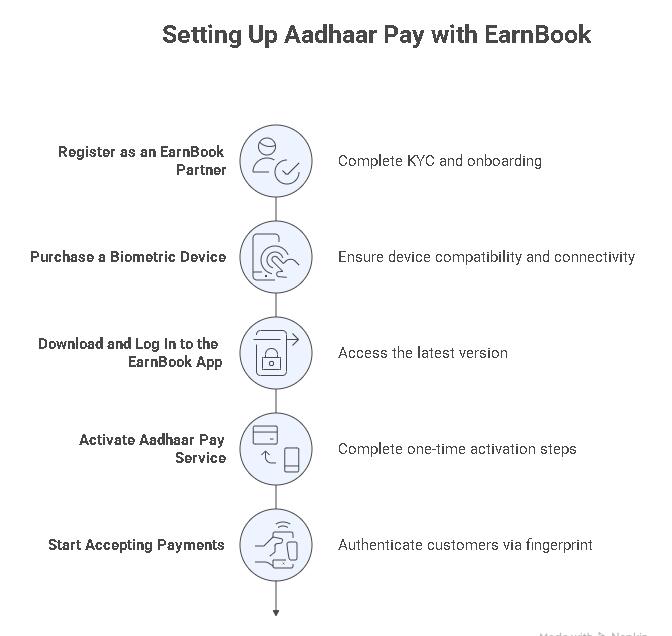
Aadhaar Pay with EarnBook lets merchants accept instant digital payments from customers using only their Aadhaar number and biometric verification, such as fingerprint, face authentication, or IRIS scan.

Customers pay directly from their Aadhaar‑linked bank accounts, creating a seamless, secure, and fully contactless payment experience at the EarnBook outlet.

For shops and service providers, Aadhaar Pay is a powerful way to enable cashless payments and reduce cash handling, especially in locations where cards, POS machines, or advanced digital infrastructure are limited, while still giving customers a simple, familiar way to pay.

Benefits of Adhaar Pay

FAQ's

What is Aadhaar Pay in EarnBook?

Aadhaar Pay in EarnBook is a payment service that lets merchants accept money directly from a customer’s Aadhaar‑linked bank account using Aadhaar number and biometric authentication instead of cards or cash.

AePS is mainly used for banking services like cash withdrawal, deposit, balance enquiry, and mini statement, while Aadhaar Pay is focused on merchant payments, allowing customers to pay shopkeepers digitally from their Aadhaar‑linked accounts

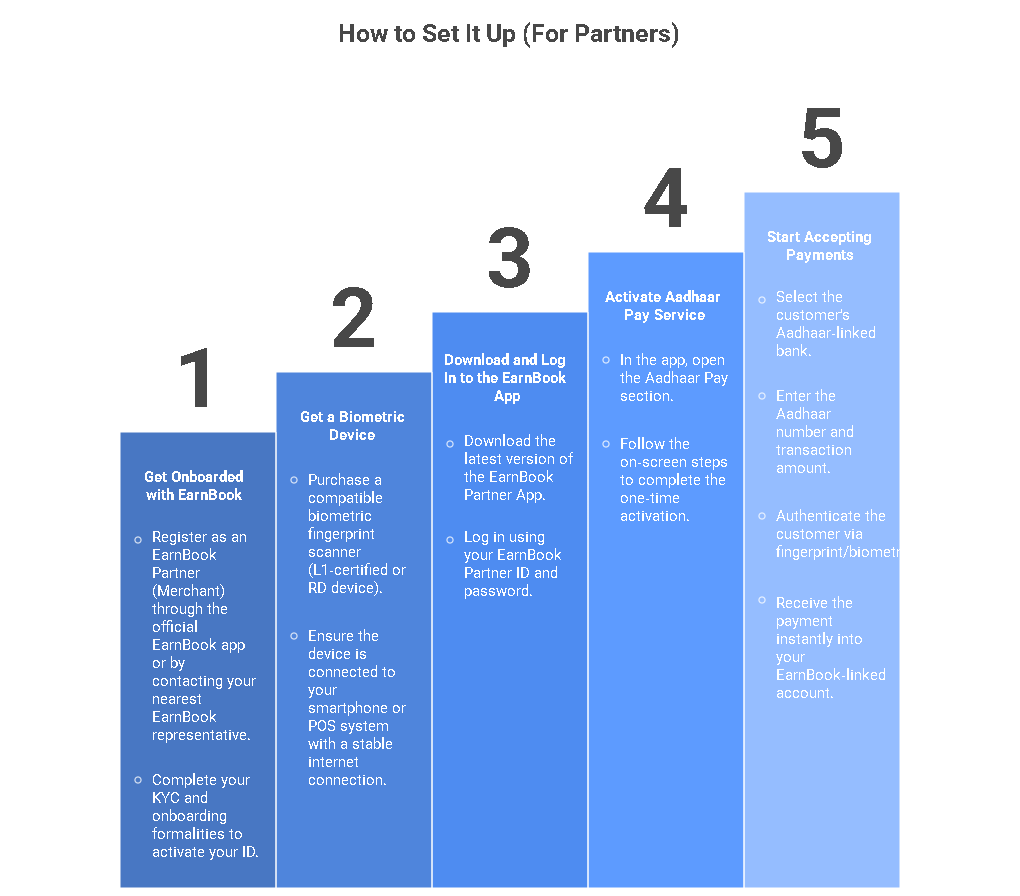
After activation, open the Aadhaar Pay option in the EarnBook app, enter the customer’s Aadhaar number and amount, select the customer’s bank, take their biometric, and on success the payment is credited to your account.

A stable data connection is recommended because the Aadhaar and bank systems must be contacted in real time; without connectivity, Aadhaar Pay transactions generally cannot be processed.

Most major public, private, and regional rural banks that support Aadhaar‑based payments can be used; if a customer’s bank is in the list shown inside the EarnBook app, their account can be used for Aadhaar Pay.

Yes, per‑transaction and daily limits apply based on bank and regulatory rules, and the EarnBook app will show an error if a requested payment exceeds the allowed limit.

BHIM Aadhaar Pay is the NPCI‑powered framework that enables merchants to receive payments from customers’ Aadhaar‑linked bank accounts using biometric authentication, which EarnBook integrates to offer Aadhaar‑based payments.

Select Aadhaar Pay in the app, choose the customer’s bank, enter their Aadhaar number and amount, ask them to authenticate with fingerprint/biometric, and once approved share the success confirmation or receipt.

Yes, merchants need an Android smartphone (or similar smart device) with the EarnBook app and a connected biometric scanner; customers themselves do not need smartphones.

Under Gas (piped/LPG), select the gas provider, enter consumer number or LPG ID, fetch the pending bill, verify the dues, then pay and issue a receipt to the customer

Payments use Aadhaar‑linked biometric verification plus encrypted communication with the bank, so only the genuine account holder can authorise a transaction and sensitive card or account details are never shared with the merchant.

Scroll to Top