- +91 8409051265
- support@earnbook.in
- plot no 143 ,New Mainpura, kharanja road new shiv mandir , Danapur patna
Bharat Connect Bill Payments with EarnBook
Bharat Connect Bill Payments with EarnBook is a unified bill‑payment service that makes it simple for customers to clear all their recurring bills from a single place. It is built on the Bharat Connect / Bharat BillPay infrastructure from NPCI, which provides a secure, interoperable, and standardised framework for paying utility and other bills across India.
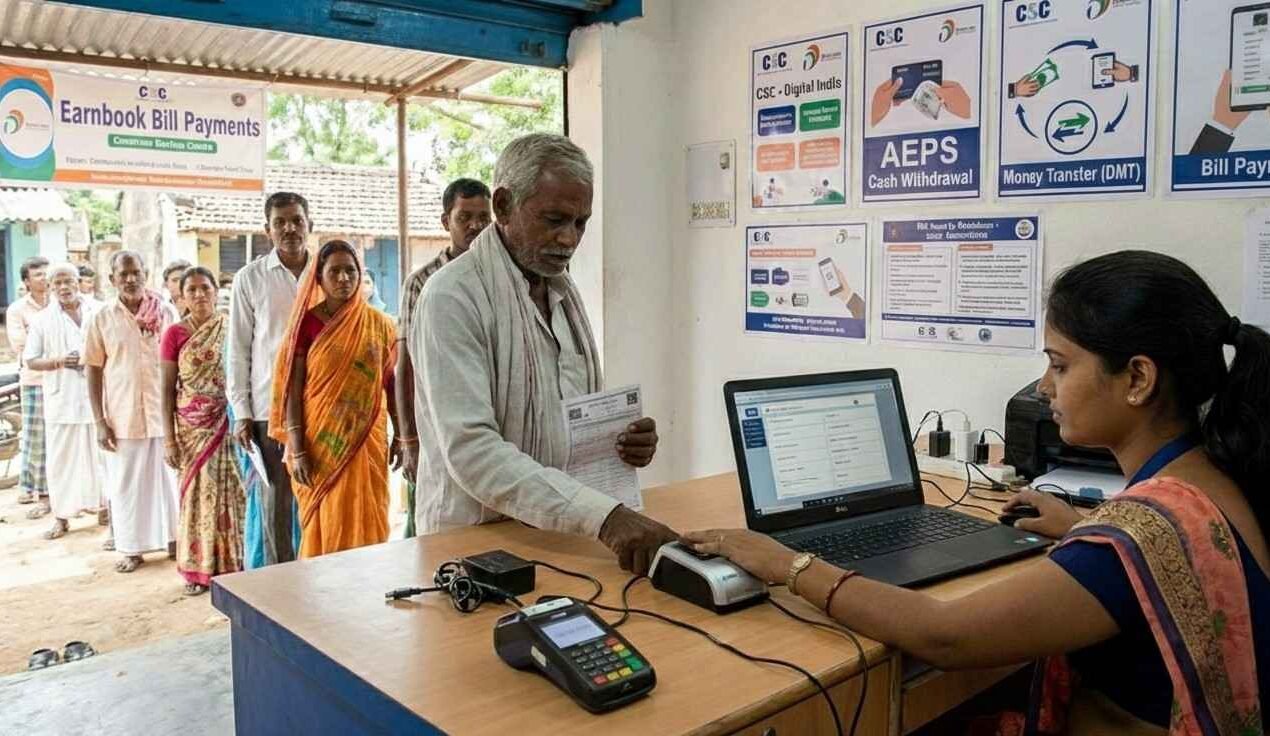
Through EarnBook partner outlets, customers can pay electricity, water, gas, broadband, DTH, telecom, loan EMIs and more using cash or digital modes, while the transaction is processed over the Bharat Connect network. Each payment generates instant confirmation via on‑screen message, SMS or printed receipt, giving full transparency and proof of payment.
For EarnBook agents, Bharat Connect‑powered bill payments become an anytime service they can offer to walk‑in customers, increasing footfall and commission income. Because the system digitally records every transaction, reconciliation is simpler and disputes can be handled through a centralised mechanism, making the outlet a trusted one‑stop utility payment centre for the local community

How to Make a Bill Payment with EarnBook
- Log in to the EarnBook Partner App or web portal.
- Select the bill category (electricity, water, gas, DTH, etc.), then choose the specific biller.
- Enter the customer’s consumer/account number, mobile number, and any other required details to validate the bill.
- Tap “Fetch Bill” (or similar) to retrieve the latest bill amount and details.
- Select the payment mode (cash, UPI, wallet, etc.) as preferred by the customer.
- Review all details and tap “Confirm/Pay” to submit the payment.
- Once successful, share the SMS / digital / printed receipt with the customer as proof of payment.
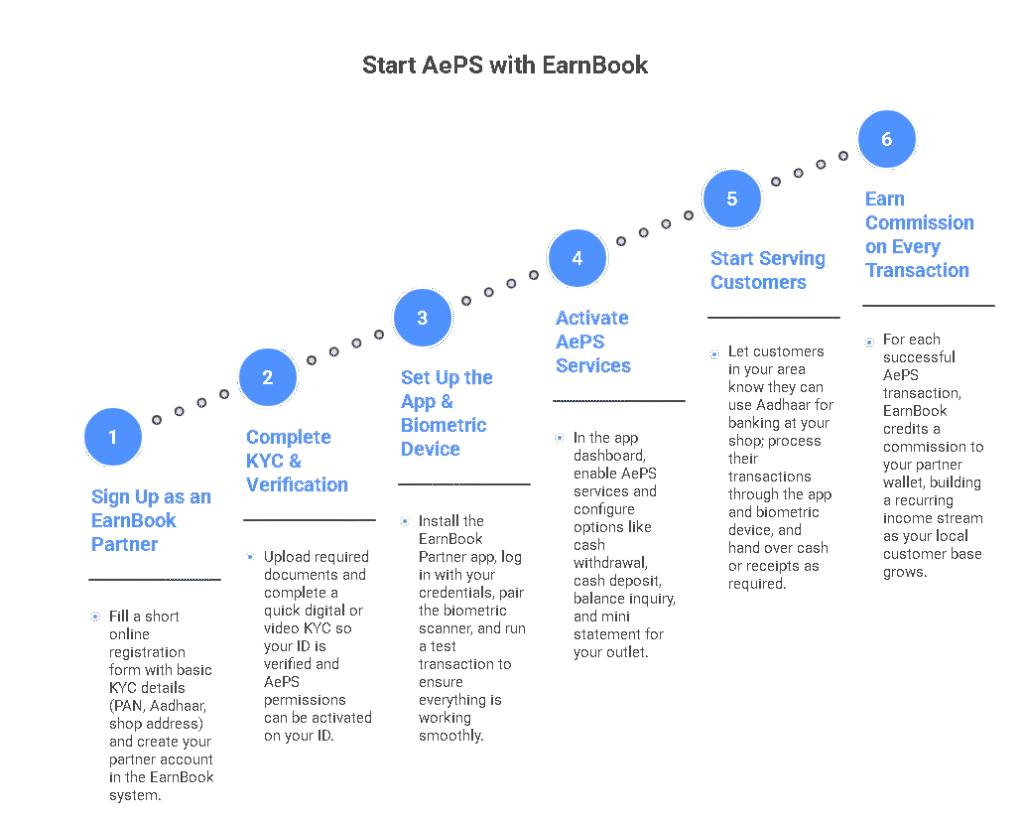
Start AePS with EarnBook
Services
Effortlessly pay electricity, water, gas, and broadband bills with EarnBook. Enjoy instant UPI payments, one-tap convenience, and earn exclusive cashback rewards every time you pay.
Protect your future with comprehensive insurance plans from EarnBook. Secure your health, life, or vehicle with easy application, quick approval, and flexible coverage—all managed digitally.
Shop your favorite brands online and in-store with fast UPI payments. Track your spending, enjoy secure transactions, and unlock special cashback offers every time you shop.
Recharge your mobile or DTH instantly and receive up to 2.5% discount rewards. Track all your recharges, pay with UPI, and monitor your balance from one dashboard.
FAQ's
What is EarnBook Bill Payment?
EarnBook Bill Payment is a one‑stop service that lets customers pay electricity, water, gas, DTH, broadband, telecom, loan EMI, insurance and more through EarnBook partner outlets using the Bharat BillPay (Bharat Connect) framework for secure, interoperable bill payments.
How do I activate Bill Payment services on my EarnBook agent ID?
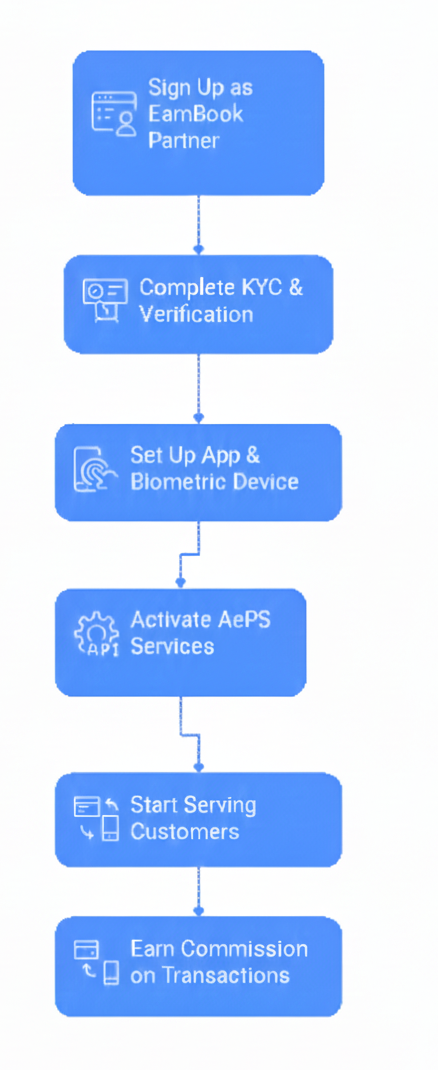
If Bill Payment is not active, an EarnBook partner can request activation from the agent app or contact support; after basic KYC and eligibility checks, the Bharat BillPay/Bharat Connect service is enabled on the ID.
How can I earn from Bill Payment with EarnBook?
Agents earn a commission or convenience fee on every successful bill payment they process, so more transactions and more categories served (like power, DTH, EMIs) directly increase their monthly income.
Who is a “biller” in EarnBook Bill Payment?
A biller is the company or organisation raising the bill, such as an electricity board, water department, gas company, telecom operator, DTH provider, lender, or insurer that is onboarded on the Bharat BillPay network.
How many categories and billers are supported?
Bharat BillPay supports multiple categories like electricity, gas, water, DTH, telecom, loan repayment, FASTag, broadband and more, with hundreds of billers integrated nationally; the EarnBook app shows the currently available list for each category
Can I do mobile recharges through EarnBook Bill Payment?
Yes, agents can use the recharge section in the EarnBook app to process prepaid and postpaid mobile payments by selecting the operator, entering the mobile number, choosing a plan or amount, and confirming the payment
How do I pay an electricity bill via EarnBook?
Select Electricity as the category, choose the correct state and electricity board, enter the consumer/CA number and mobile number, fetch the bill, verify the amount, choose the payment mode, and confirm to complete the transaction
How do I pay a landline bill?
Choose Landline/Telecom as the category, pick the service provider, enter the landline or account number and customer details, fetch the bill, then confirm and pay using cash, UPI, or wallet as preferred.
How do I pay a water bill?
Go to the Water category, select the local water board, input the consumer or connection ID and mobile number, pull the bill details, review, and finish the payment with the chosen mode.
How do I pay a gas bill?
Under Gas (piped/LPG), select the gas provider, enter consumer number or LPG ID, fetch the pending bill, verify the dues, then pay and issue a receipt to the customer
How do I recharge or pay for FASTag with EarnBook?
Select the FASTag category, choose the issuing bank/NHAI provider, enter the vehicle or FASTag ID, fetch outstanding amount or add‑money request, and pay to top‑up the FASTag wallet.